
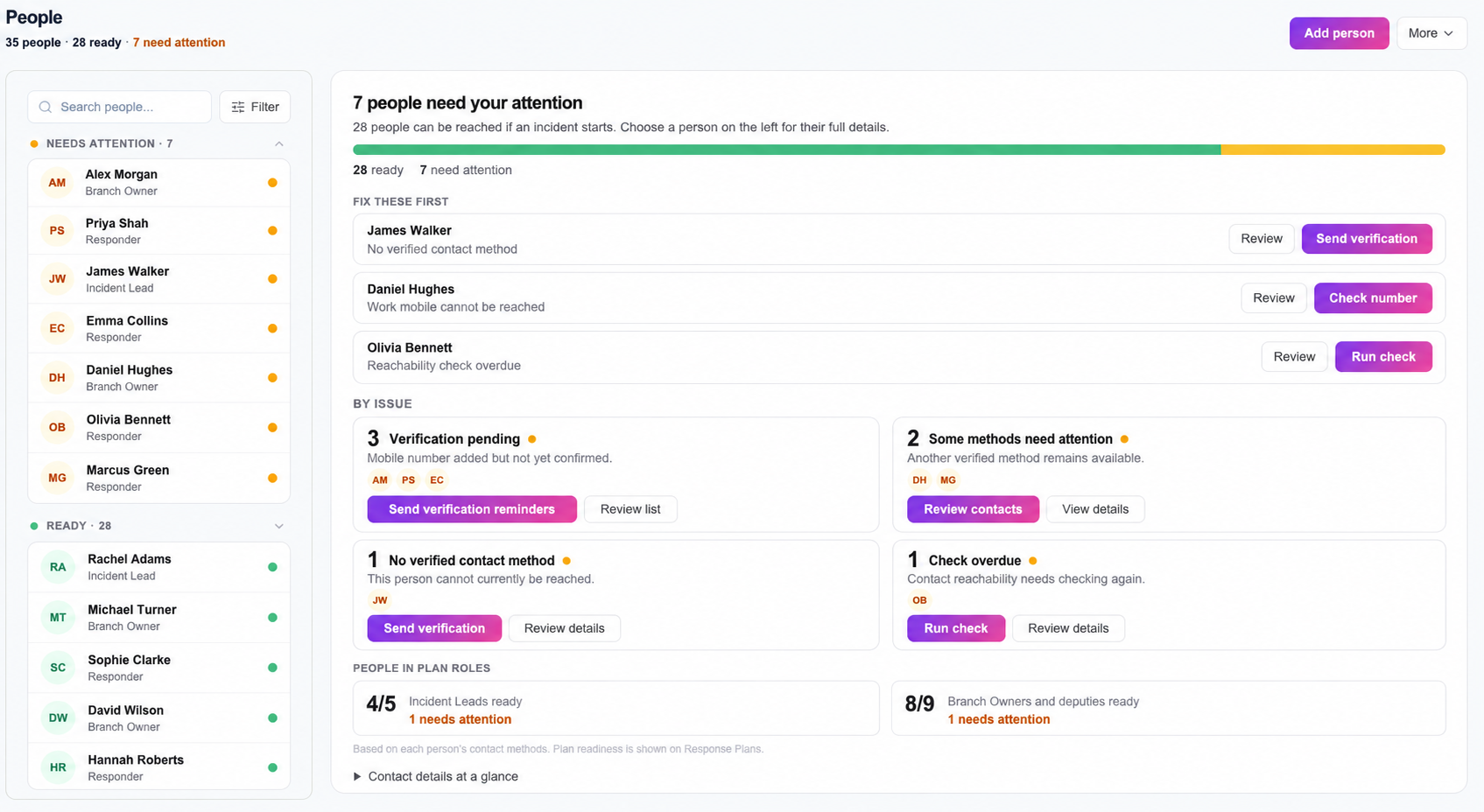
Add the people StrikeGrid may need to contact
Add each person once, with the contact details they have agreed can be used for incident response. People can then be assigned as Incident Leads, Branch Owners, branch members or direct responders across response plans.
For larger teams, use the CSV upload on the People page. Review the preview before confirming the import so duplicate or incomplete rows can be corrected without creating unwanted records.
Deal with the items that need attention
The readiness summary shows how many people are ready and groups the remaining issues. Open a person to see which method is missing, unverified or otherwise needs review. Do not treat a saved number as proof that the person can currently be reached.
- Correct invalid or outdated contact details.
- Send verification reminders where required.
- Remove people who should no longer be contacted.
- Check that critical plan roles have suitable contact coverage.
Work and personal mobile numbers
StrikeGrid can store both work and personal mobile numbers. The active routing rules determine which number is tried and when. Explain this clearly to responders, particularly where a personal number may be used outside their normal working hours.
A second number improves the available route but still cannot guarantee a connection. Call screening, voicemail, loss of signal and incorrect data can all affect the result.
Make readiness routine
Review the People page after staffing changes and before important exercises. The aim is not to collect the most data. It is to keep the minimum contact information needed for the response plans your organisation actually uses.